Step-by-step training on every Planning Center product, from experts who have been in your shoes — with a path for each role, so your team learns its own part rather than all of it.
Thousands of church staff trained · Hundreds of churches transformed · 50+ years combined ministry experience
It's Tuesday night and you're up cleaning duplicate profiles again.
Your volunteers are confused about which check-in events to set up on the stations. Your leaders are throwing hours of their week away manually building service plans.
Not to mention you're drowning in help articles and tutorials that each show you one feature — but never how it all fits together.
Here's the truth:
Planning Center is incredibly powerful, but without a proven system you're stuck in trial-and-error mode. You know there's a better way — you've seen glimpses of what's possible — but piecing it together yourself is exhausting.
The Planning Center Playbook changes that.
No more backtracking to fix foundational mistakes.
Proven in real churches from 100 to 10,000+ attendees.
Get your whole team on the same page fast.
Let Planning Center do the repetitive work for you.
Keep your database clean without manual maintenance.
Make all your church systems work seamlessly together.
Built from the experience of running Planning Center at one of America's largest multi-campus churches.
Covering every Planning Center product — People, Services, Check-ins, Groups, Calendar, Registrations and Publishing.
From beginner setup to advanced automation workflows and strategies that save hours every week.
Where 900+ church leaders share wins, troubleshoot challenges and get ongoing support.
Including setup checklists, workflow diagrams and proven email templates.
A kids check-in coordinator needs Check-ins and People, not Calendar. The role-based paths pull just those lessons together, and every lesson stays open for as long as your subscription runs — so people can come back when they change roles.
Get new lessons and features as Planning Center evolves.

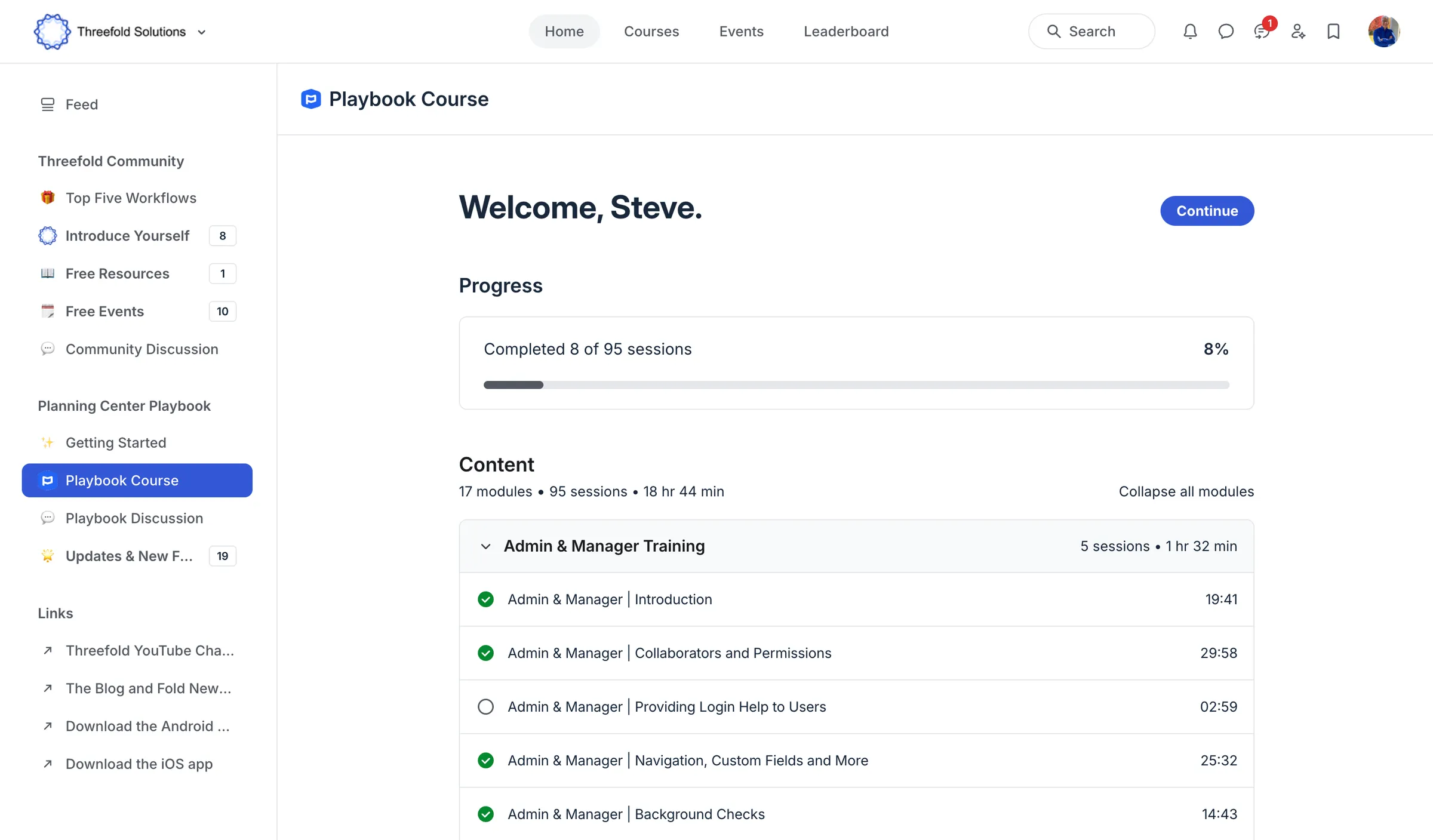
Seventeen modules across three phases, in the order we teach them to consulting clients.
Build your Planning Center foundation with confidence.
You'll master admin controls, permission structures, custom fields, background checks and the Planning Center Home app — setting up your system architecture so it scales with your church's growth.
Implement every product your team and your congregation touch.
A deep dive into People, Check-ins, Registrations, Services, Groups, Calendar and Publishing — lists, forms, workflows and automations; check-in stations, labels and printers; volunteer scheduling; and Church Center, the app your congregation actually opens.
Run the plays, then train each role on just their part.
Complete strategies you can execute end to end — first-time visitor follow-up, and automating milestone dates onto profiles — plus role-based paths that give a database manager, or a groups and youth leader, only the lessons their own job needs.
We've spent over 30 years in ministry leadership at some of the largest churches in North America — including Gateway Church, where we managed Planning Center for 10 campuses and 300,000+ profiles.
We didn't learn Planning Center from a manual. We learned it in the trenches, solving real problems for real ministry teams. The Playbook is the training resource we wish we'd had when we started.
It isn't theory — it's the actual system we use with our consulting clients.
Michael Visser & Jason Silbernagel, co-founders
The Threefold Solutions team supported us personally through our Planning Center migration, anticipating the real questions we would face along the way. As an added benefit, they compiled that expertise into a clear, well-organized, one-stop resource: The Planning Center Playbook! Their easy-to-navigate articles and bite-sized videos put a wealth of searchable knowledge at our team’s fingertips.
The Planning Center Playbook has been a game changer for our integration and daily Planning Center usage. The videos expand on the basics already available from Planning Center making us all feel like experts. The online community has been a great place to connect with other churches to share tips and tricks.
The short, focused videos go beyond the basics and show how Planning Center is actually used in real churches, which makes it easy to find quick, practical answers. Most of all, the Threefold team brings deep expertise, real-world experience, and a genuine desire to see others succeed.

We priced the Playbook to make these strategies accessible to church staff and leaders. If you don't feel you've got your money's worth, request a full refund within 30 days.
The questions church staff bring us most often — each one covered inside the Playbook.
Get startedWorkflows are covered end to end in the People modules — building the steps, assigning them, and automating what happens when someone completes or stalls in one.
The Playbook includes the data hygiene lists and routines we run for consulting clients, so your database stays clean without anyone manually combing through it.
We walk through the full follow-up path — capturing the guest, triggering the workflow, and tracking whether they came back — using forms, workflows and lists together.
Covered in the People modules, alongside custom fields and the workflow automations that write those milestones without manual entry.
The Groups | Group Leaders module is built for exactly this, including what to hand leaders directly and what to keep with staff.
The Check-ins modules cover volunteer check-in alongside kids check-in, station setup, labels and printers.
The Calendar module covers event request workflows, approvals and the resource and room conflicts they are there to prevent.
Registrations covers large-event signups end to end, including the parts churches most often get wrong the first time around.
Learn the proven approach already working for hundreds of churches.
Sign up now