
If you use Planning Center Giving, get ready for some exciting news! The platform has rolled out significant updates that make giving simpler, faster, and more flexible for donors—and easier for administrators to manage.
These updates are live on all platforms: the Church Center app, web browser, and even embedded forms on your church’s website.
A Completely Redesigned Donation Form
Planning Center didn’t just tweak the old form; they rebuilt it for a clean, streamlined experience. Previously, making an online gift was overly complicated, with hard-to-find buttons and an inconvenient login process. Now, everything is condensed into a single page, reducing duplicate profiles and preventing abandoned gifts due to a complicated process.
The new form includes:
- Simplified login process
- Clear recurring donation options
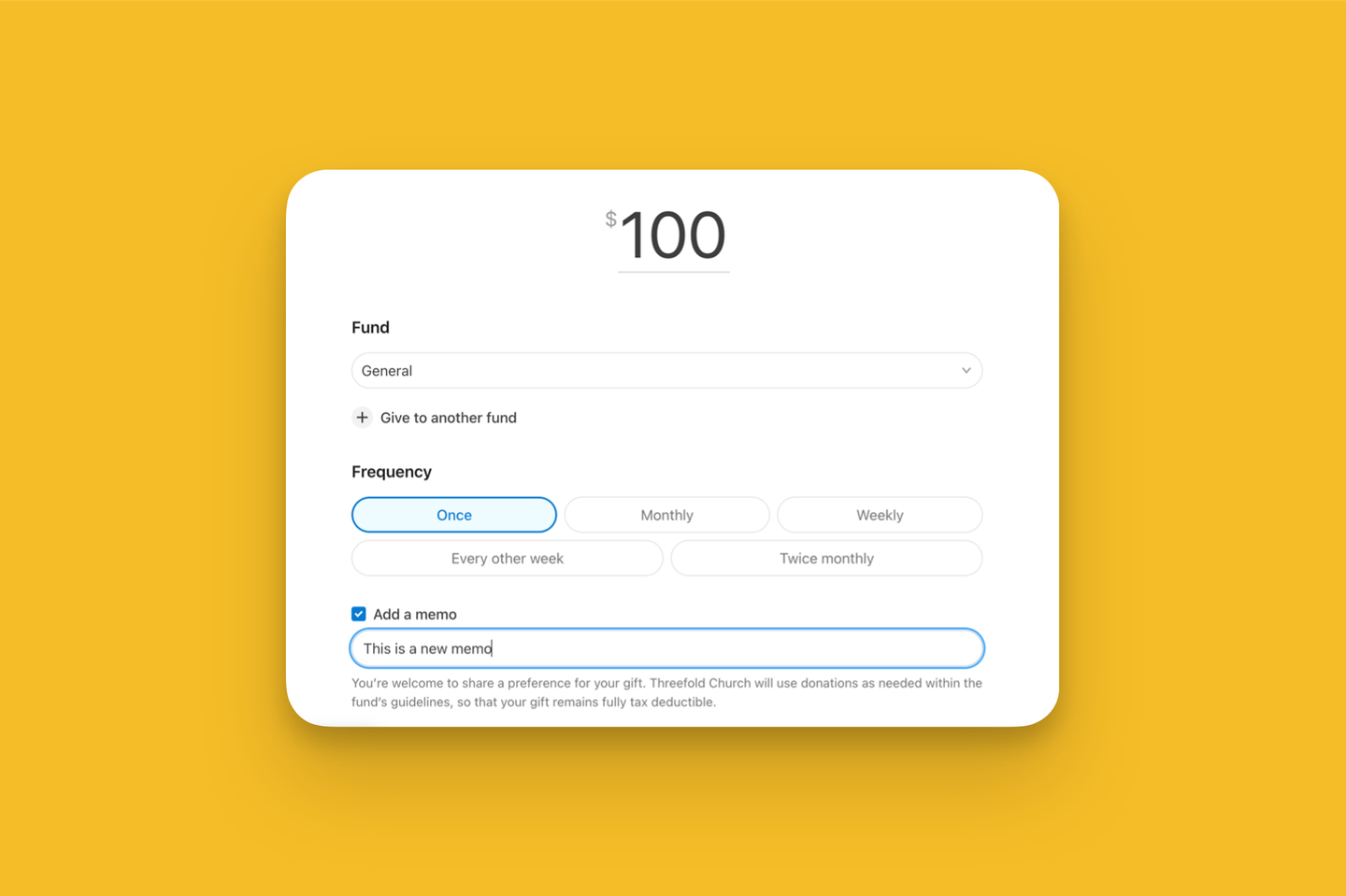
- Ability to split donations across multiple funds
- Increased visibility of ACH Bank Transfer as a payment method
- Added memo line field
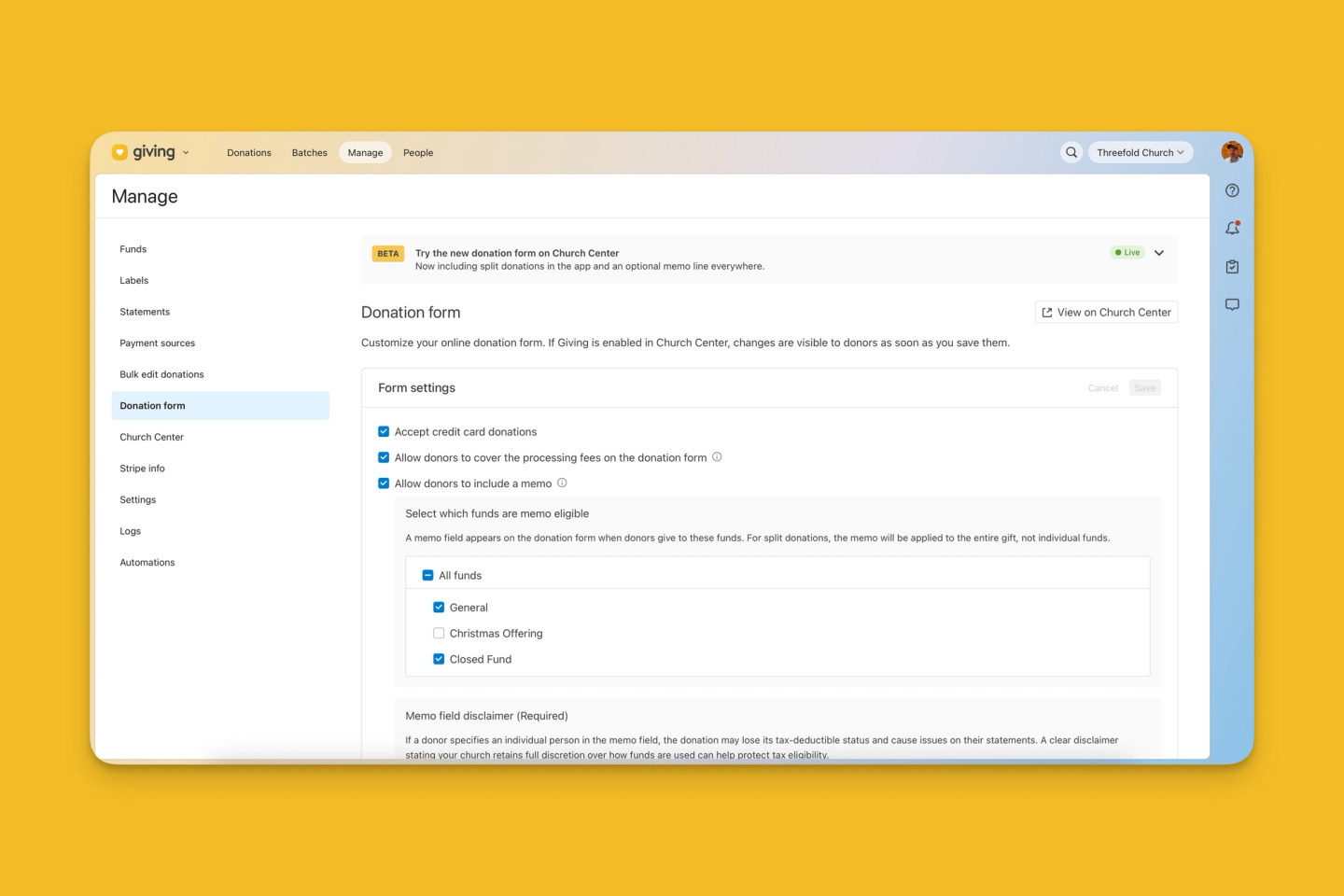
To customize form settings, navigate to the Manage tab in Planning Center Giving and select Donation Form on the left panel.
Quick Login with Verification Codes
Whether someone was a new or returning giver, logging in used to be tricky, which often led to duplicate accounts and inputting the same information twice.
Now, donors who aren’t logged in receive a one-time verification code via text or email. This step instantly connects them to any existing accounts and saved payment methods without losing progress on the form.
Simplified Recurring Gift Setup
Setting up a recurring gift is much more intuitive on the new donation form. To change from a single gift to recurring, donors previously had to locate the frequency dropdown and change it from “one time” to “regularly.” Then a new menu appeared to select how often, etc. Instead of hunting for dropdowns, donors now see common frequency options from the beginning, making it easy to set a giving rhythm.
Split Donations Across Multiple Funds
If your church accepts donations to different funds (e.g., General, Benevolence, and Missions), donors can easily split their gift between them.
After selecting the initial fund, donors can click “Give to another fund” to add additional choices. From there, they can input the specific amount to give to each.
Easier to Initiate ACH Bank Transfers
The new form makes the ACH transfer option more visible than ever before. This is great news, because credit card fees are 2.15% + $0.30 per transaction, while ACH transfers cost a flat $0.30.
Greater visibility will encourage donors to choose the cheaper option, and combining this with the option to allow donors to cover the processing fees on the donation form will mean each gift makes an even greater impact.
Added Memo Line Field
We’ve had so many clients ask about adding memo lines for gifts, and until now, we had to get creative with workarounds and manual tracking.
The new memo line option changes all that. Donors can now add a short note, like “In memory of…” to their gift. This memo appears in their donation history and on the admin side in donation details.
Memo Line Configuration
In the Donation Form settings, you can:
- Enable memo lines and choose which funds allow them.
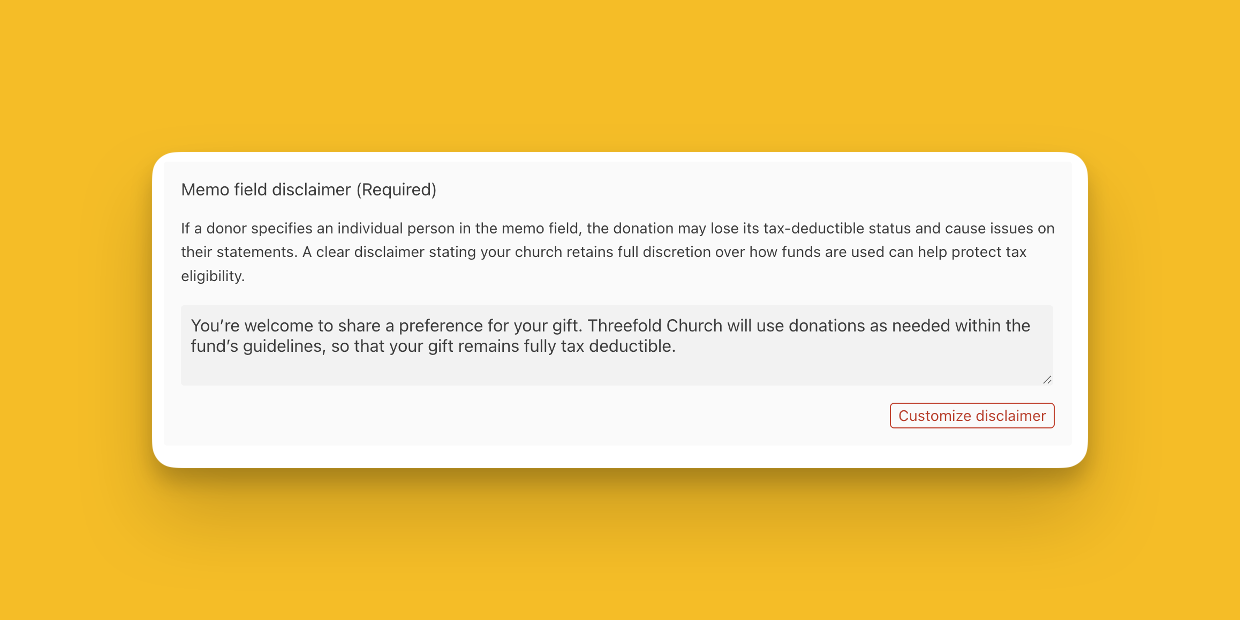
- Customize the required tax compliance disclaimer. To remain tax-deductible, a donation cannot be designated to a specific person. Ultimately, how the gift is used must remain under the full control and discretion of the church. Planning Center requires you to add a disclaimer about this to help protect tax eligibility.
Once added to the donation form, memo fields can also be enabled individually by fund within the fund editor.
Wrapping It Up
These updates to Planning Center Giving aren’t just cosmetic—they’re practical improvements designed to make generosity easier and administration smoother. From a cleaner donation form and simplified recurring gifts to memo lines and better ACH visibility, every feature helps remove friction and increase flexibility for your donors.
If you haven’t explored these changes yet, now’s the perfect time! Head to Manage tab in Planning Center Giving to start customizing the Donation Form to fit your church’s needs. The result? A better giving experience for your community and more time back for your team.
Kristin Emerson,