

If you've ever wished your congregation had one simple place to see everything that's going on at church this week, Planning Center just made that a lot easier.
Publishing now includes a built-in Announcements feature that helps keep your congregation informed with a centralized page for upcoming events and important updates.
This feature is available on all Publishing plans, including the free Essentials plan.
Why Churches Struggle to Centralize Announcements in Church Center
Church Center has tons of features and pages that make it a useful hub for your congregation. Links to signups, a calendar of events at your church, open groups, and more are available to share. The issue is that there hasn’t been a great way to create a single place to steer people towards the most important items. Many churches gather announcements in a paper bulletin, a rotation of slides, or a weekly newsletter. But in Church Center, each type of opportunity previously lived somewhere separate unless you created a custom page (which requires a paid subscription). What was missing was a single page with all the most important things listed together: camp signups, reminders for the ongoing food drive, upcoming events and office closures, and even general information about the current sermon series or midweek Bible studies.
How the Planning Center Announcements Feature Works
In Publishing, under the Content tab, you'll find a new Announcements section. From there, you can create individual announcement items. Each item includes a title and the option to add an image, summary, and a link to another page. You can even set dates to show and hide each announcement automatically, without needing to manually add or remove it from the page when the time comes. Campus and category filters let congregation members sort announcements by what matters most to them.
If you choose to link the announcement to something else, you can choose between any other page in Church Center or simply paste a URL from anywhere. If you’re linking within Church Center, you can search for pages, sermons, forms, groups, signups, and events directly instead of needing to pull the link separately.
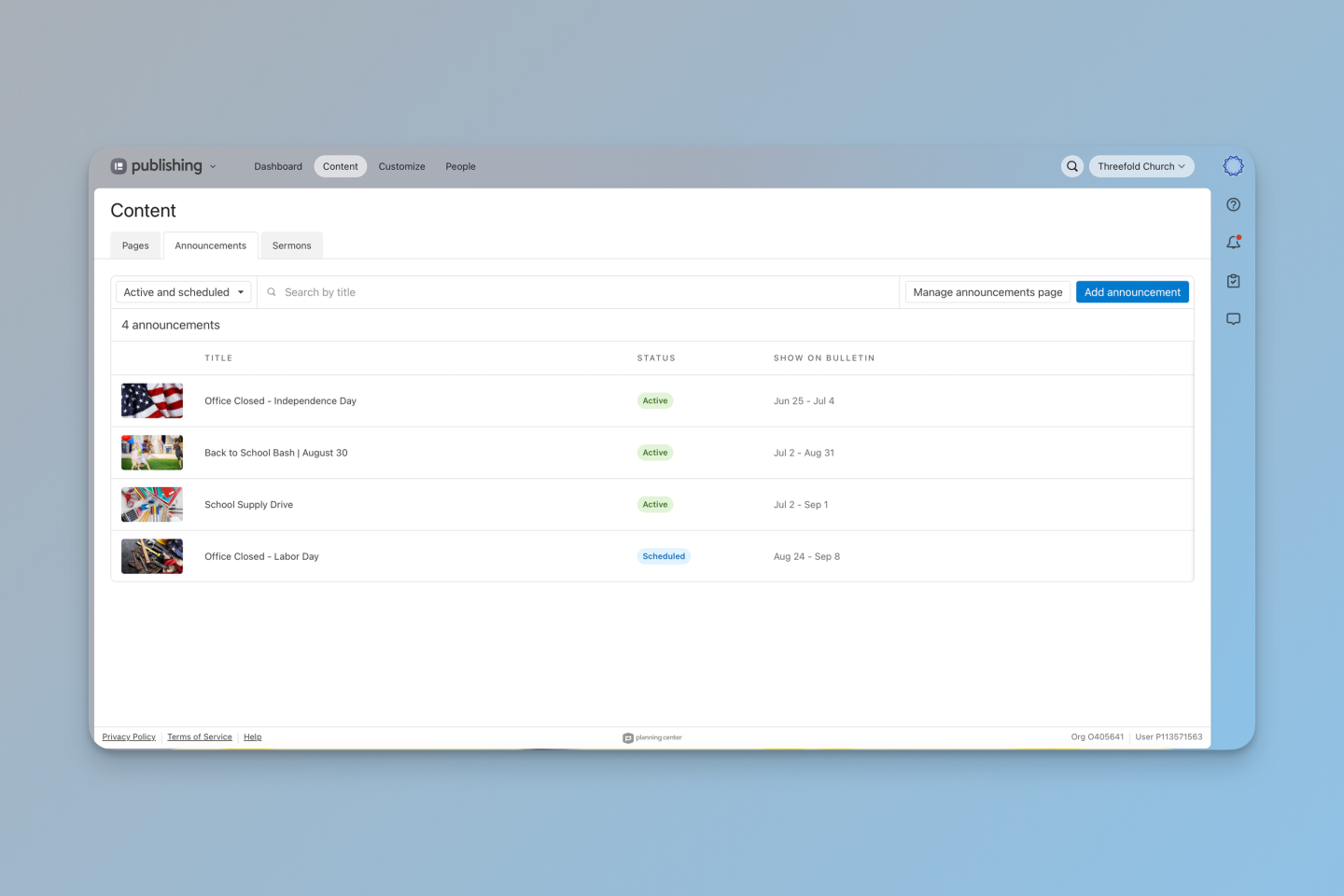
The Announcements section is found within the Content tab in Publishing.
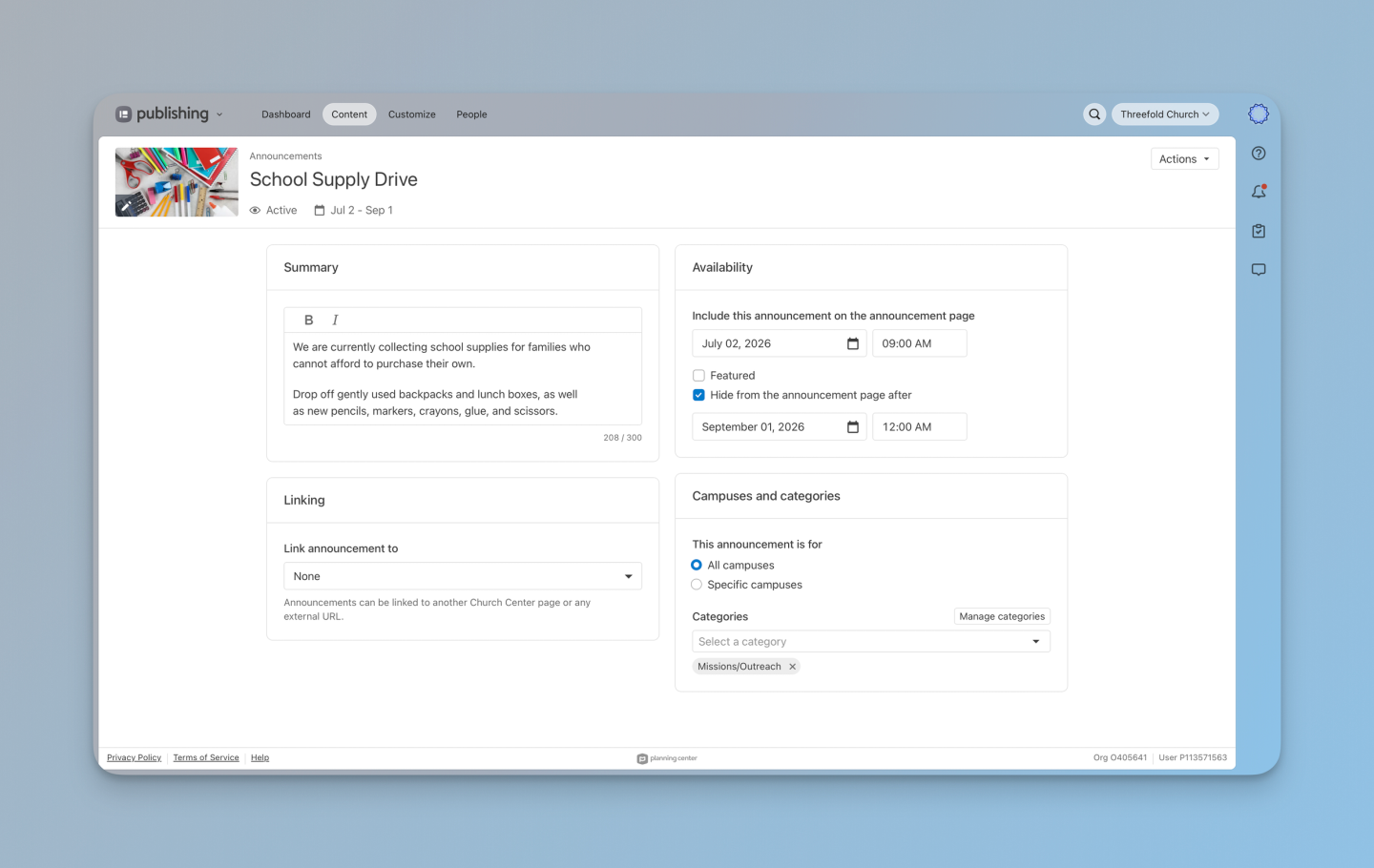
Each announcement can have custom settings, including a short summary, availability dates, a linking option, and campus and category assignment.
How to Launch Your Announcements Page in Church Center
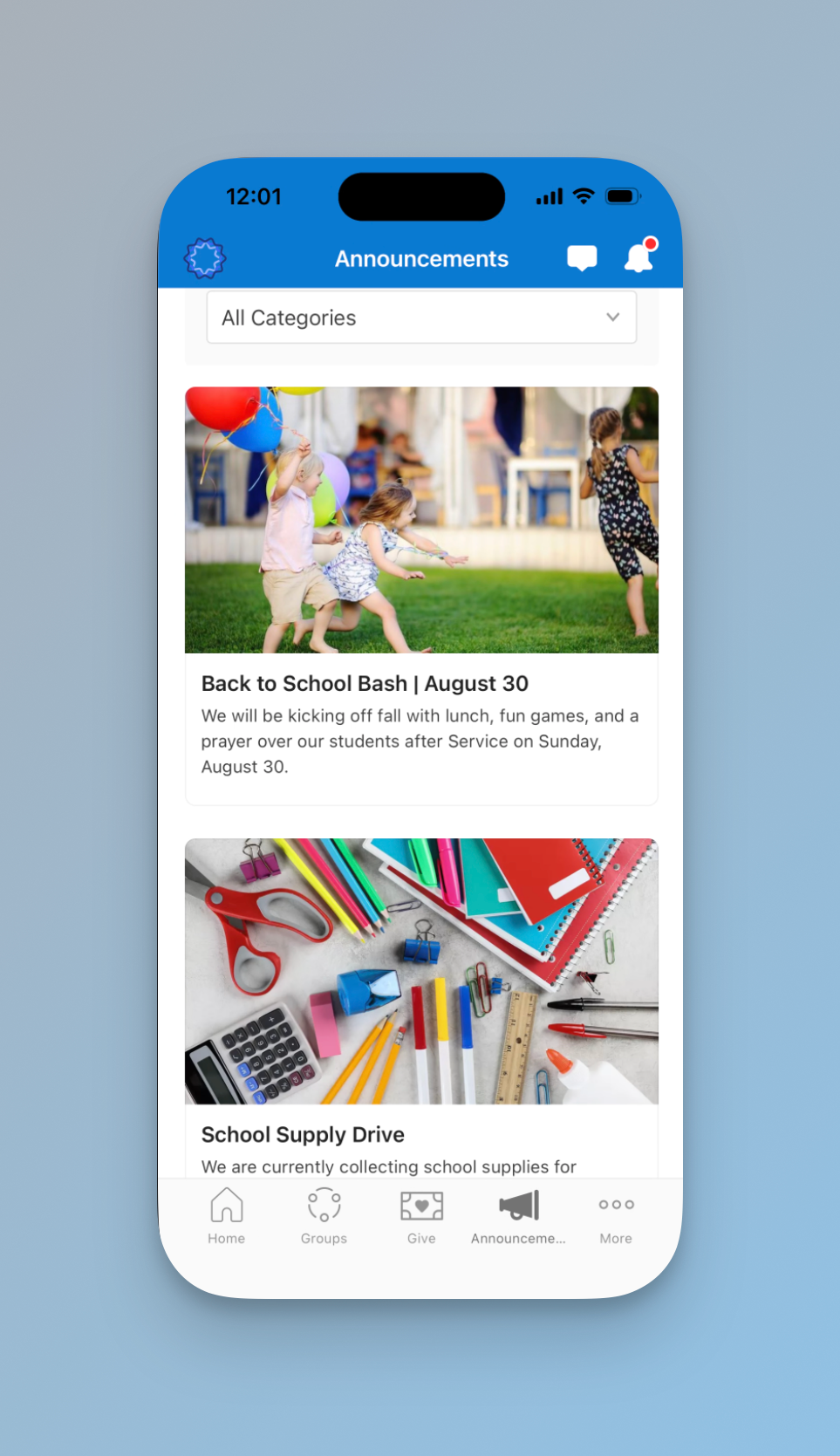
Once you’ve created a few announcements, you can preview the page and adjust the layout from the Content tab, in line with the rest of your Church Center Pages. Announcements are sorted from newest to oldest, with featured items displayed at the top. When you're ready to go live, add the Announcements page to your Church Center navigation from the Customize tab or link to it on your Home page.
What to Post on Your Church Announcements Page
Not sure what to post first? Here are some ideas:
- Upcoming events like VBS, retreats, or seasonal kickoffs
- Volunteer opportunities with a link directly to the signup form
- New groups that are forming or open for enrollment
- Giving campaigns, donation drives, or year-end giving reminders
- Sermon series information or a link to the message archive
- Registration deadlines for camps or special programs
- Service time changes, holiday closures, and other administrative updates
- New member or baptism class information
- Announcements about staff changes or sabbaticals
Because each announcement can link directly to the relevant Church Center page, form, or signup, your congregation can take action without having to hunt around the app.
Why Now Is a Good Time to Build Out Your Church Center Communication Hub
If your church hasn’t fully built out Church Center as a communication hub, this feature is a good reason to start. A dedicated announcements page gives your members a reliable place to check in each week, and it stops the constant “wait, where do I find that?” moment. It also gives you a single place to point people to when announcing things from the stage or the pulpit. Keep your list fresh by scheduling announcements to appear and disappear automatically, and use the campus filter if you’re managing communication across multiple locations.
Want Help Getting Your Church Center Set Up?
Threefold Solutions helps churches get the most out of Planning Center, from initial setup to ongoing strategy. For quick questions, peer support, and Live Q&A sessions, join our free community. For customized support and training, get in touch with our team, and we’ll help you make the most of what Planning Center has to offer.