

You’ve been there. You need to email the parents of your youth group students about an upcoming event, but Planning Center only lets you choose between the primary contact or ALL household adults. Suddenly, you’re sending trip permission slips to 22-year-old siblings and 80-year-old grandparents living in the home.
For years, churches have asked for a simple way to identify and communicate specifically with parents — a feature that most church management systems have long offered. Although Planning Center has many strengths, it didn’t provide this functionality … until now.
The new parent/guardian role in Planning Center People changes everything about how you manage households and communicate with families. Here’s what you need to know.
Parent/Guardian Roles Are Now Available in Planning Center People
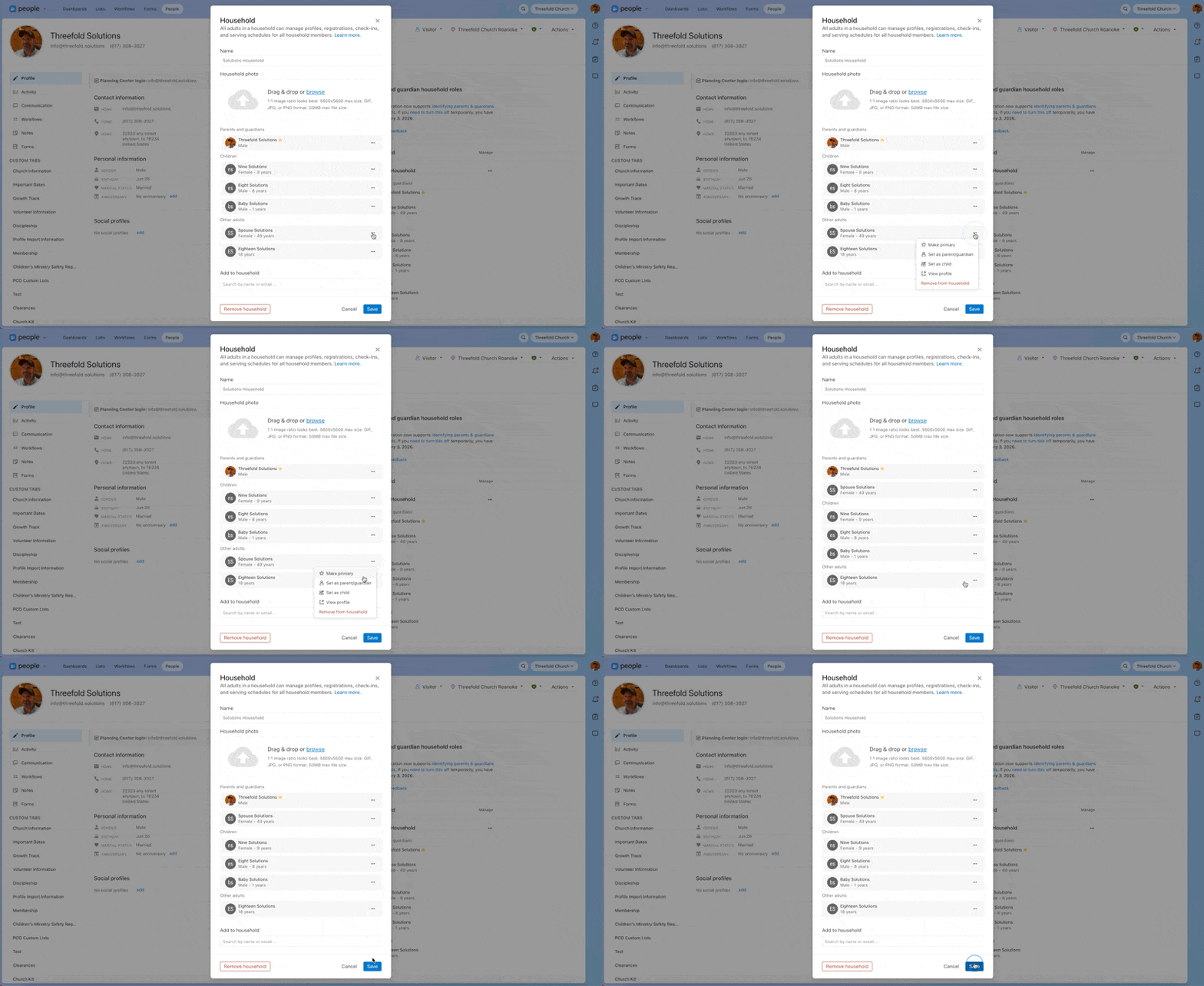
You can now assign parent/guardian roles directly inside Planning Center People and instantly see them when viewing household profiles. Parents and guardians are clearly grouped separately from other adults, making it obvious who fills that role at a glance.
To adjust who is listed as a parent/guardian, edit the household and select the three dots next to the person you wish to update. Select Set as Parent/Guardian or Set as Other Adult as needed.
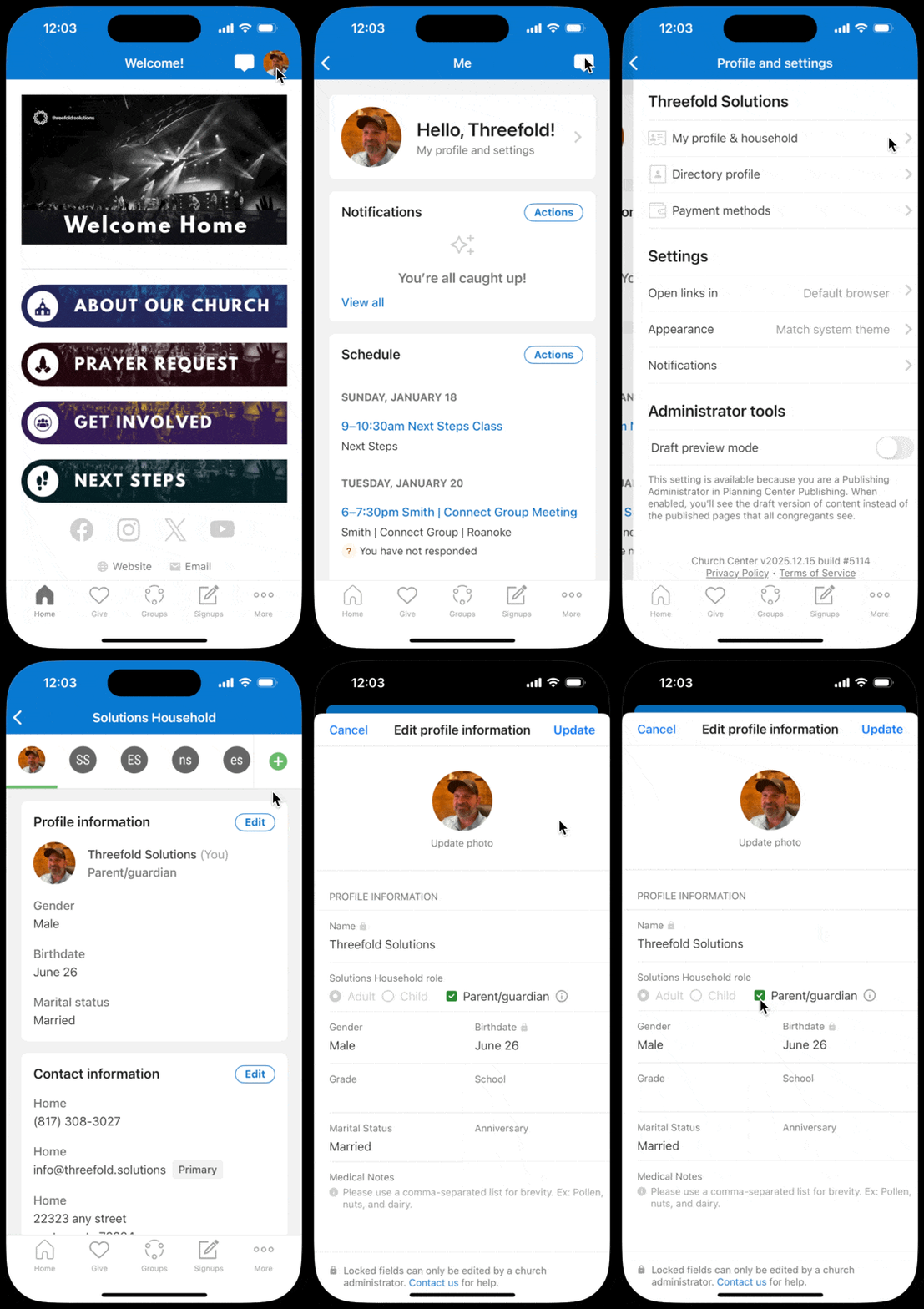
Adults can view and update their own roles in Church Center just like other profile details. This lets parents keep household information up-to-date, reducing cleanup and follow-up by your team.
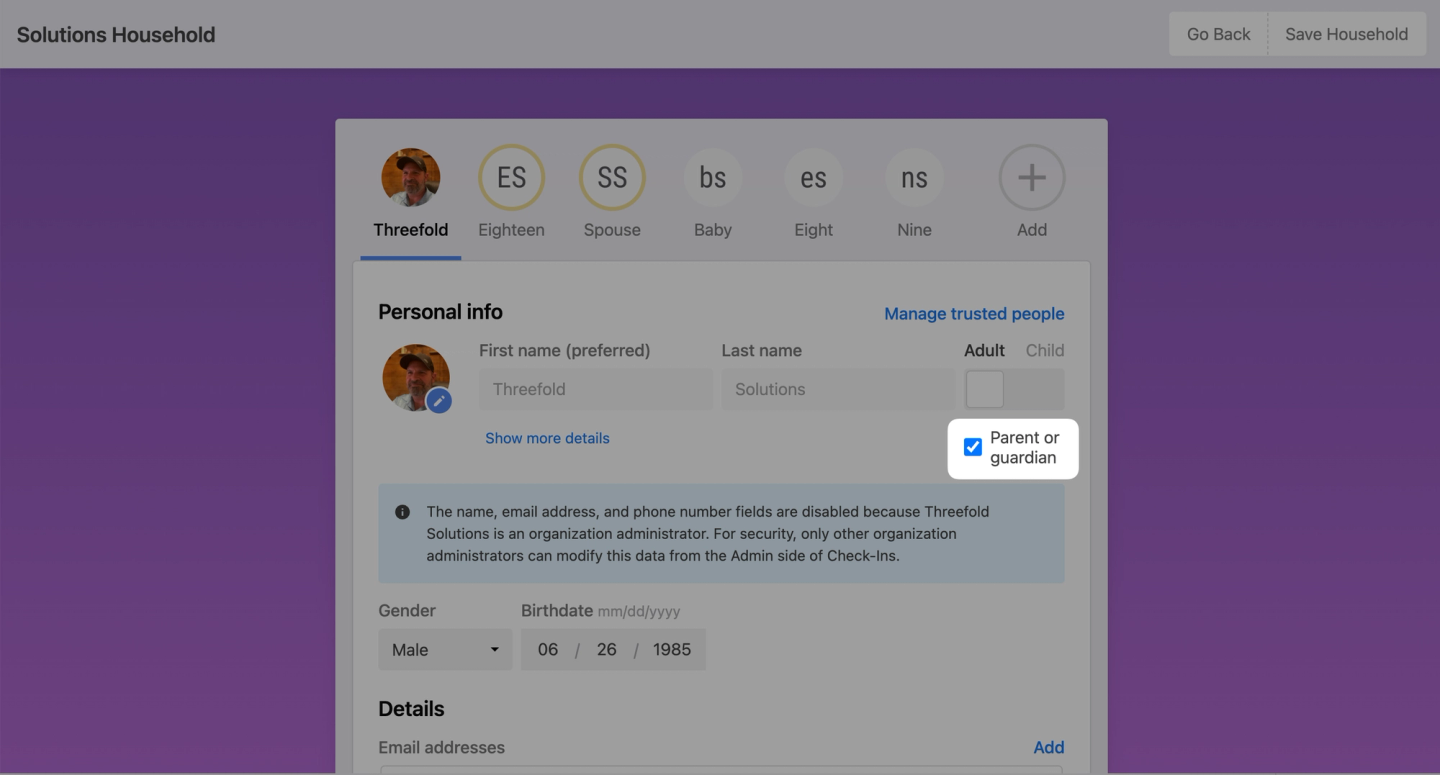
These updates also carry over into Planning Center Check-Ins. With the household editor on manned stations, you can update roles during services or events, making it easy to handle changes as they come up.
Powerful New List Options for Church Communication
This update really shines when it comes to lists — one of the most powerful tools in Planning Center People.
New Household Conditions
Two new household conditions are now available when creating a new list:
- Parent/Guardian of Active Children:Quickly generate a list of parents without starting from child profiles.
- Sole Parent/Guardian of Active Children: Easily identify single‑parent households, allowing your church to offer more thoughtful and intentional support.
New List Rule
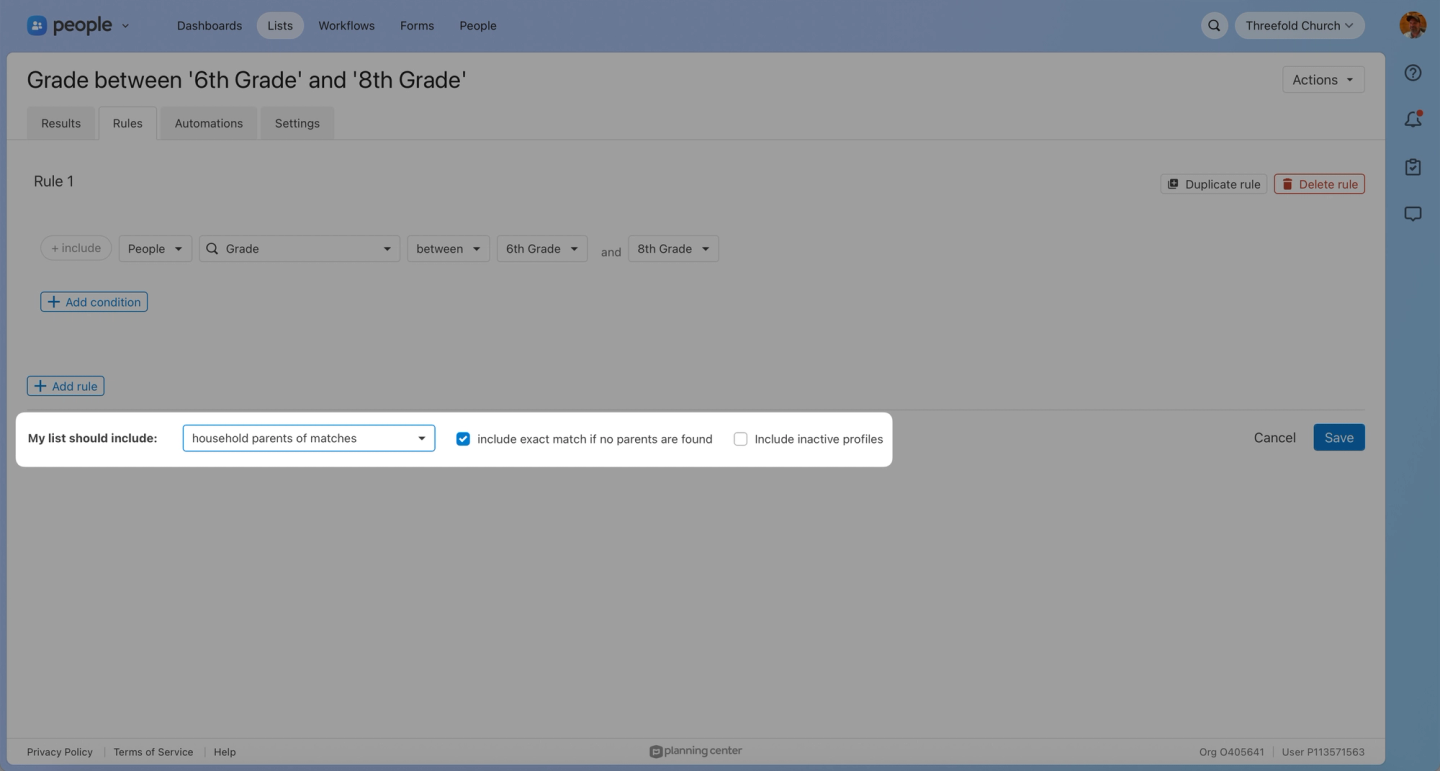
There’s also a new option for who you include in your list: Include Household Parents of Matches. Now, instead of emailing every adult in a household, you can choose to contact just the parents.
This change makes youth ministry communication a whole lot easier. You can build a list of students, like all 6th to 8th graders, and then next to My List Should Include, select Household Parents of Matches.
From there, it’s simple to send emails or texts about things like:
- Youth events and trips.
- Schedule or location changes.
- Permission slips.
- Important safety updates.
And the message goes to the right people: parents, not adult siblings or other relatives who don’t need the information.
Why This Matters
Adding parent and guardian roles in Planning Center People isn’t just meeting a long-requested need. It’s taking a big step forward in how churches support families.
When household roles are clearly defined, your team can:
- Communicate more accurately and effectively.
- Support families more intentionally.
- Reduce admin workload and follow‑up.
- Reflect real‑life family dynamics in your database.
When parents can manage their own household information, Planning Center People stops feeling like just a system you maintain. It becomes a tool that better supports ministry.
This might seem like a small change, but it finally brings Planning Center People in line with what families actually need.